

Creating a new plugin: 12

Ribbons
Displaying the backbone of a protein, for example as a ribbon, is an excellent way to show the structure of the protein in a way that looking at atoms and/or bonds in a chain, cannot do. This is the display mode I want to add to the plugin.
To do this, instead of drawing each atom what we will do is create a spline for each chain between some representative point in each amino acid (or nucleotide). For amino acids, although there doesn't appear to be a 'standard' method, by convention (as far as I can tell) that point is the alpha carbon in each amino acid, since all of them have one and only one atom labelled 'CA' - which is the alpha carbon. For nucleotide chains, since they don't have an alpha carbon, we will use the atom 'C1'' (that is, 'C1 prime').
Creating the spline(s)
This is really easy. For each amino acid chain, all we do is find the 'CA' atom in each residue and add that as a point in the spline. When the end of the chain is reached, the spline is created and the process repeated for the next chain. The process is the same for nucelotide chains, but we will look for the C1' atom instead. Here's the core code for how this works. We create two arrays, one for the points of a spline, and the other an array of the SplineObjects we're going to create. Then we just iterate through the atoms:
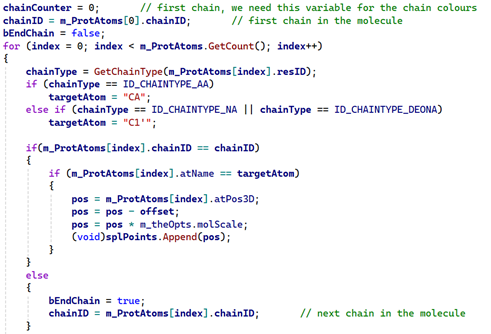
At the end of each chain, we create the spline itself.:
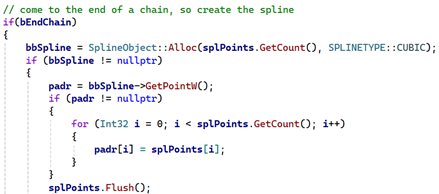
We now have a SplineObject for the chain of amino acids (or nucleotides). What do we do with it? There's a complication here because the protein might have more than one chain, so we could be left with multiple splines. In theory, that's easy enough to deal with: we could make each one a child of a null object, then return the null object to the calling function (which will be GetVirtualObjects()). The problem with that is that if we then create a Sweep object, add a profile spline and then add this plugin as the direction spline, it won't work. No geometry will be created.
Instead, we can create the splines then make them all child objects of a Connect object and return that. This works fine, and using a Sweep object we can add a profile spline and create geometry to display a ribbon for each chain. Or, we could render the spline using the Hair render in the standard renderer, or render the spline in Redshift. Note that to do that, the PDBLoader plugin would have to be made editable first, because it won't render using those methods if it is not.
(As an aside, that's because we're using GetVirtualObjects to generate geometry, which we have to do to display atoms and/or bonds. To render a spline with Hair or Redshift, the object to render must be a SplineObject - but GetVirtualObjects returns a BaseObject. We could use GetContour to return a SplineObject, but that function can't return a BaseObject! As far as I know, it isn't possible for a plugin to use both GetVirtualObjects and GetContour, only one or the other. Frankly, this is a mess and it's a pity Maxon didn't do something about it when updating the API.)
This solution isn't perfect, though. We might want to colour the ribbons for the various chains, giving a different colour to each one, or add a different material to each ribbon. With only one Sweep object, we can't do that. However, we could add each SplineObject to an array, then when all the atoms are processed and the splines built, we can treat the chains separately.
Before that, however, we will need to set some basic parameters for the splines. These will be derived from the plugin interface and would include such things as the spline type, which by default is a cubic spline (but the user might want to change that), the interpolation type, and the parameters associated with that. If all we want to do is return a spline, we can return the Connect object with its child splines and there's no more to do.
Adding Sweep objects
With the splines created the only way to have different colours or materials for the chains is to create a Sweep object for each chain, colour it as required, then return all the Sweep objects as child objects of a Null object. This works perfectly, and it has the advantage of also allowing us to add a different material to each ribbon, which is great if we want to colour the ribbons with a gradient, so we can see the start and end of the chain. The downside is that this requires a fair bit of extra code to make it work, and that's after we've created the spline. Among other things, we'll have to decide which of the usual Sweep object parameters we will need to replicate in the interface.
For the parameters, we're going to want a few things:
- a growth setting, so the chain growth can be animated;
- a spline custom GUI in the description to reproduce the Sweep object 'Scale' parameter, which controls the size of the geometry along the length of the spline;
- and the 'Parallel Movement' switch, because this can give some interesting results.
Implementing growth and parallel movement is simply a matter of getting the values from the plugin interface then setting them into the BaseContainer of the Sweep objects we create. However, the 'Scale' setting uses a spline custom GUI in the Sweep object and if we replicate that in the plugin interface, it isn't quite as easy to transfer the settings. Here is the code to create the Sweep:
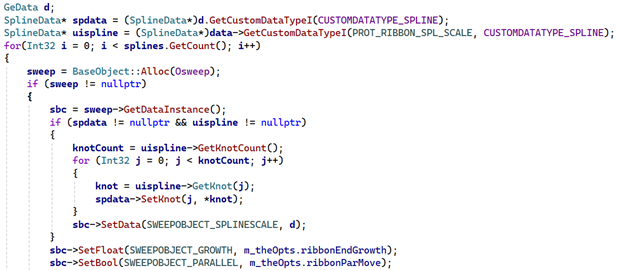
What this does is get the SplineData custom data object from the plugin interface - this is 'uispline'. It also creates a new SplineData object - this is 'spdata'. Then it gets each knot from the interface spline and simply copies that into the 'spdata' object. Finally, the Sweep object's BaseContainer ('sbc') sets that SplineData object into the Sweep object. After that, all that remains is to set the growth and parallel movement parameters.
Finishing up
So, we have a Sweep object and the direction spline - there may be more than one, of course. But to complete the Sweep we need a profile spline. For user convenience, the plugin will come with a small number of preset profiles, such as a flat ribbon, thick ribbon, circular object like a tube, and so on. We can create as many of these as we like, and we can also let the user add their own profile if they want to. The preset profiles are all primitive splines with appropriate settings; a custom profile can be any spline. The final thing is to give each Sweep object a colour (the same colours as are used for chains) or a material. For materials, I decided to use a simple InExclude list which could contain as many materials as required. The first Sweep object - that is, the first chain of the protein - would get the first material from the list, the second Sweep the second material and so on. If there aren't enough materials for every Sweep object, the Sweep will simply be coloured.
The results
Below are a selection of proteins shown with various ribbon profiles, colours, and materials. The thing that stands out from this is the way you can clearly see coiling of the chains which you cannot with the other display types.
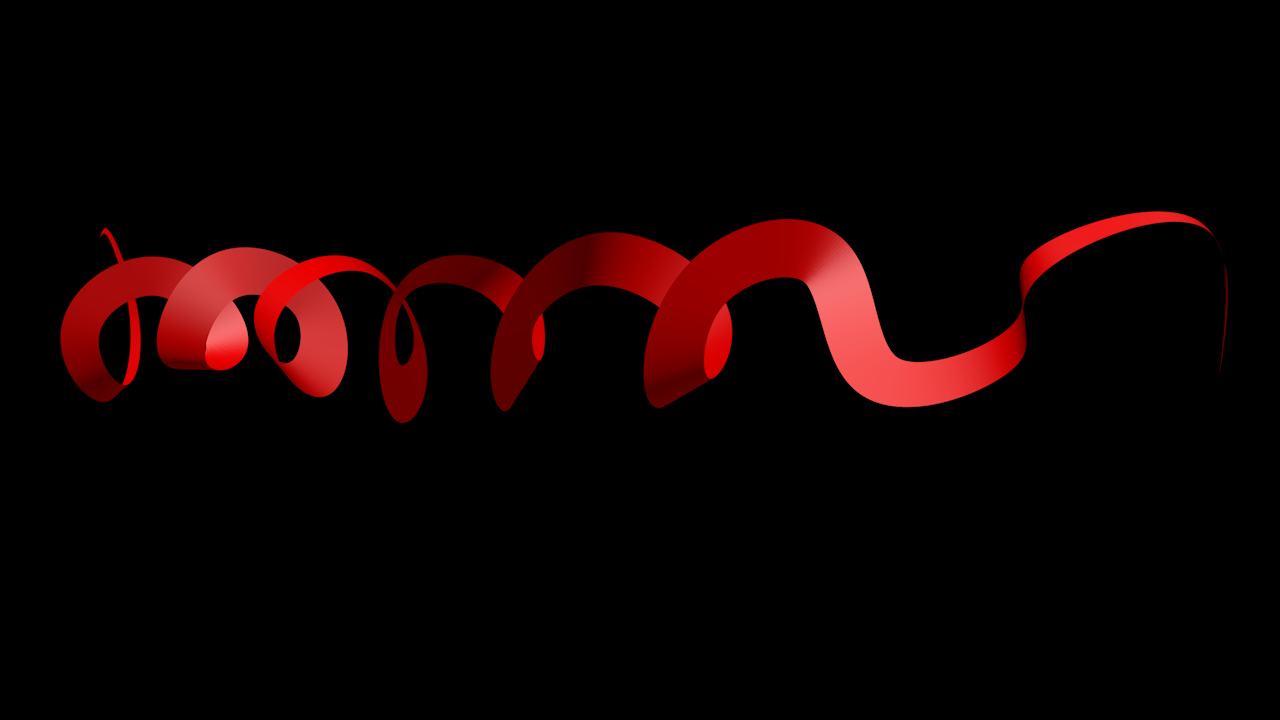
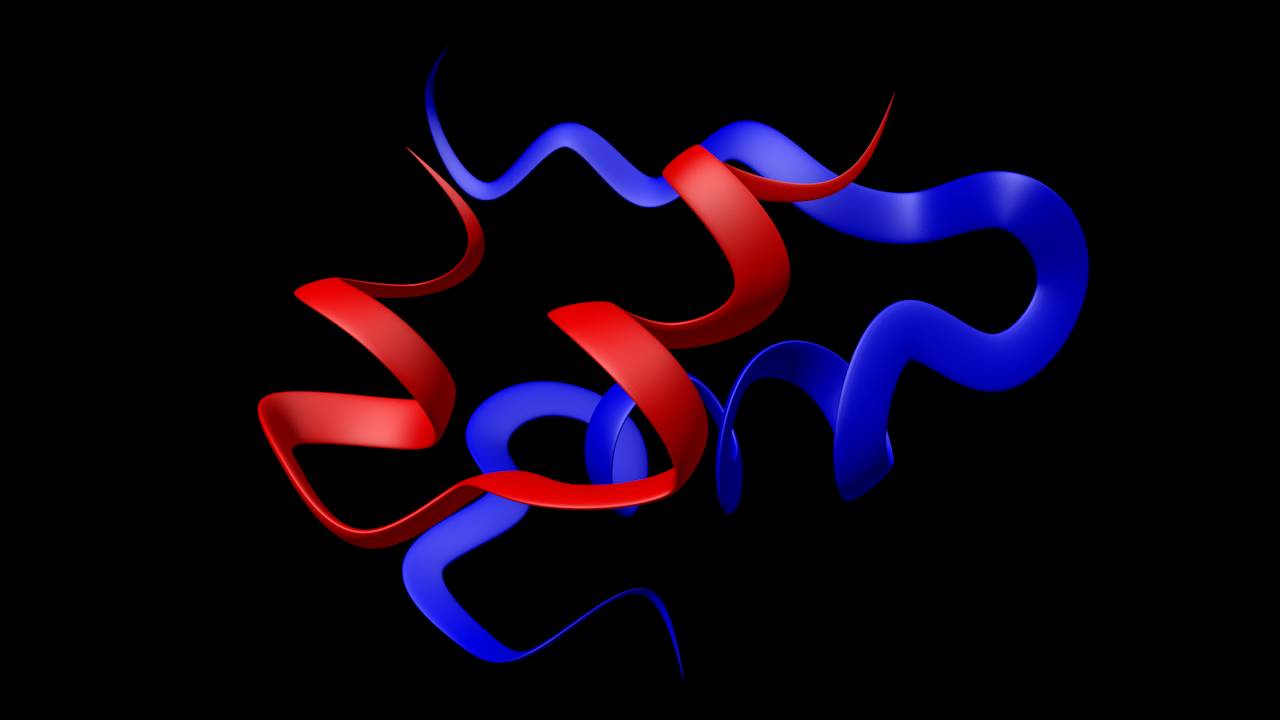
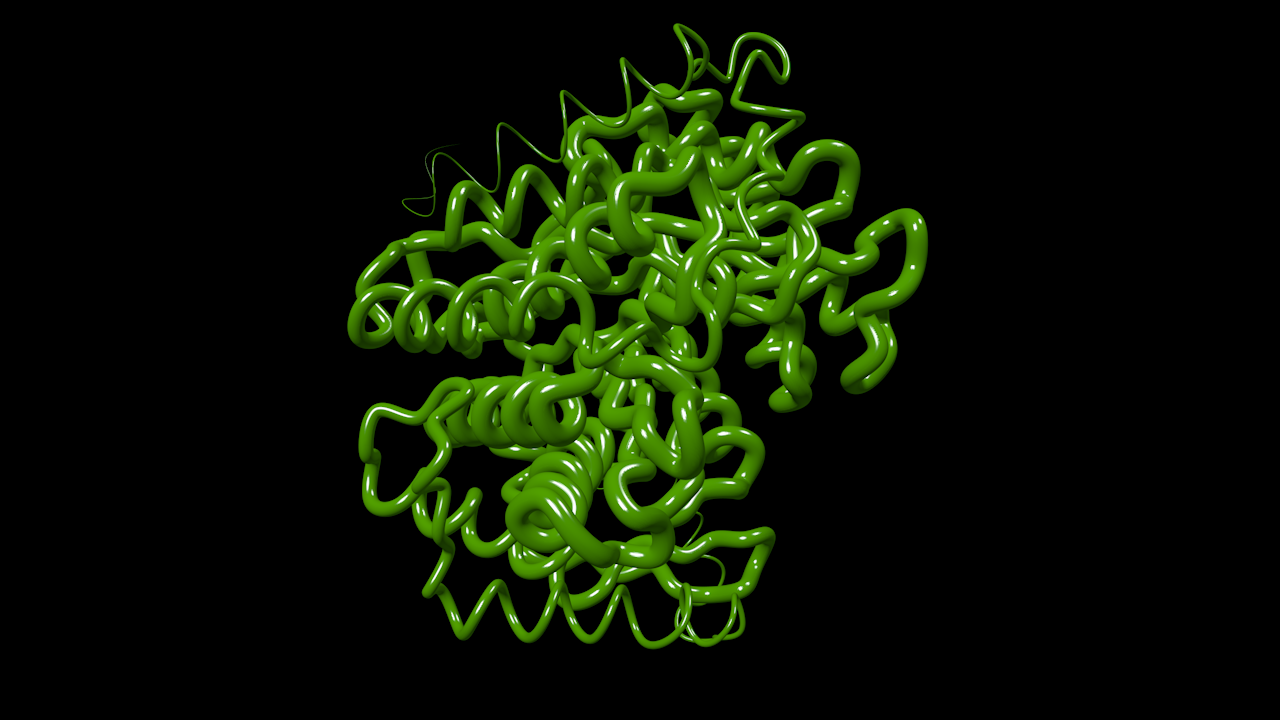
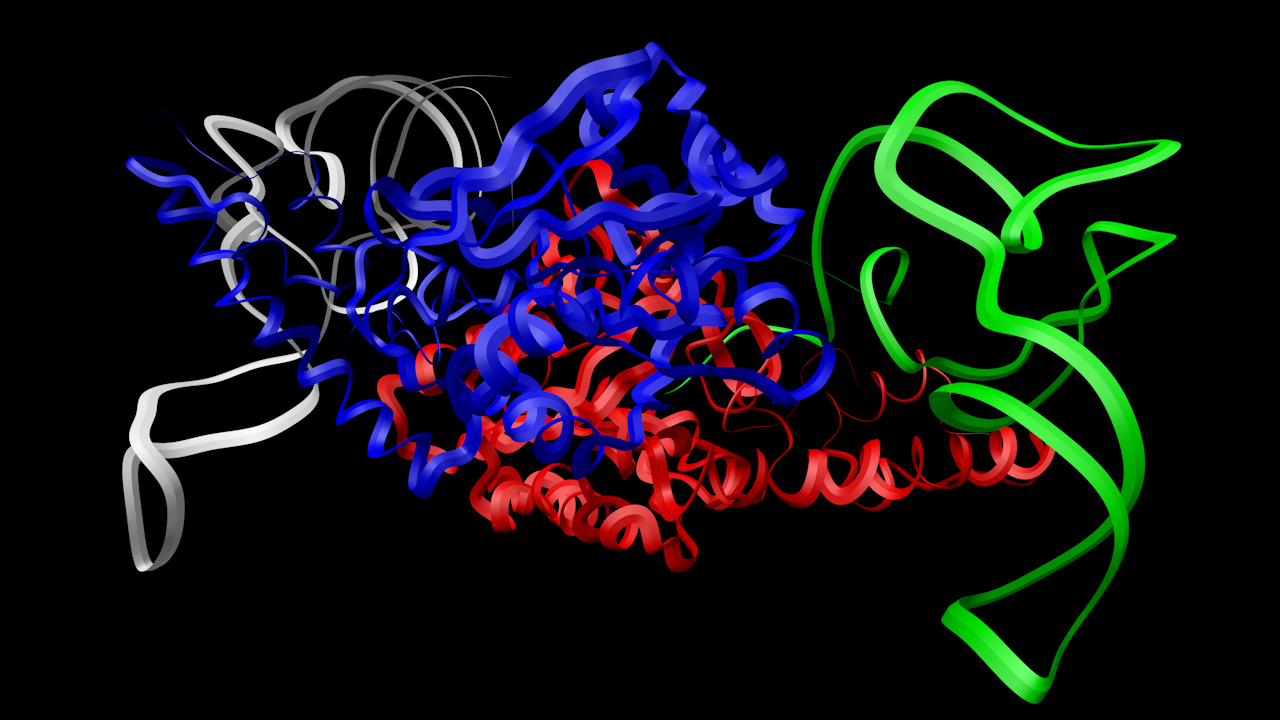
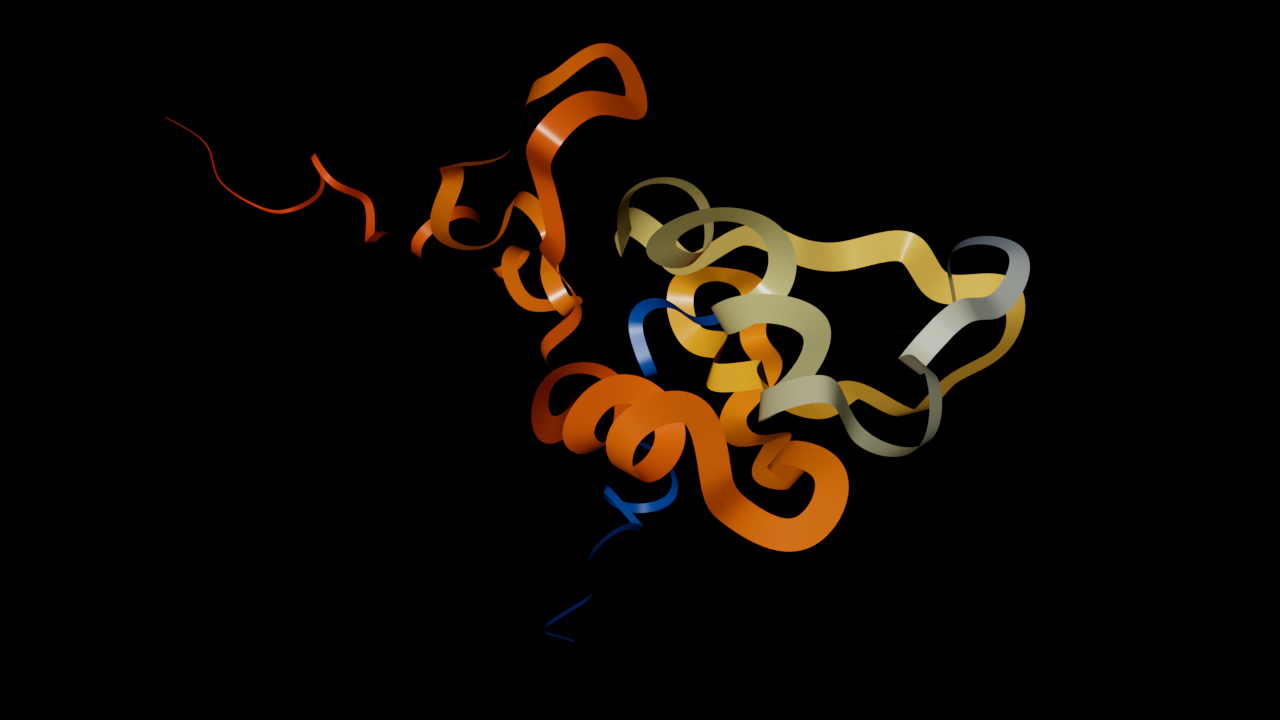
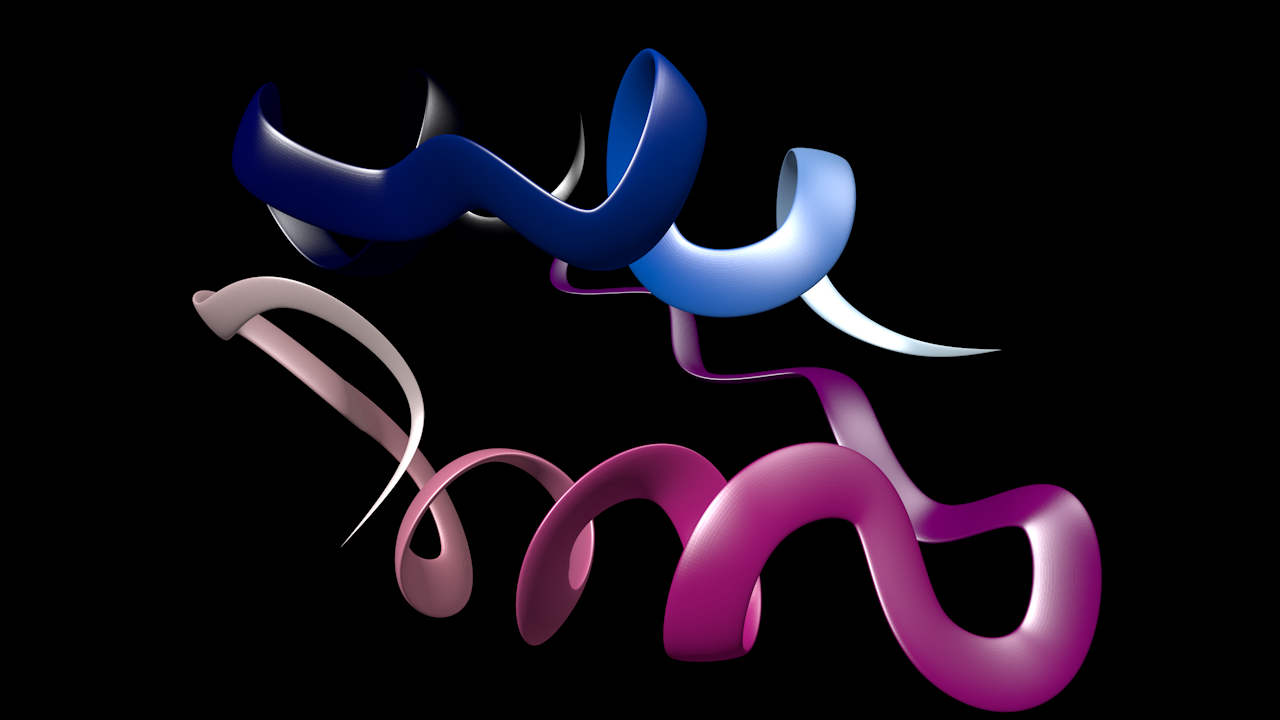
- Glucagon
Uses the default flat ribbon.
- Insulin
Two chains, using the thick ribbon profile.
- Transferase
Uses the circular profile and with a shiny green plastic material.
- Ligase
Four chains, no materials, uses the diamond profile.
- Oxidoreductase
Spline only (no Sweep object), made editable then rendered with Redshift using OpenPBR with a Ramp node.
- Insulin (again)
Two chains each with a different gradient material applied. Uses the rounded rectangle profile.
What next?
Next comes the trickiest part of the whole plugin, or at least, that's how I see it at the moment. Proteins can contain atoms and molecules which are not part of an amino acid or nucleotide chain, but which are essential to the protein. How do we handle those?
Page last updated July 8th 2026