

Creating a new plugin: 15

A little something extra
Before moving on to handling CIF files (see the previous section) I wanted to add a couple of potentially useful features.
Atoms as text
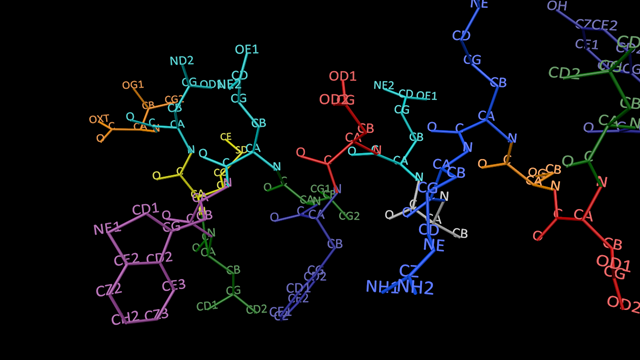
The first was to replicate something I saw in another visualisation program, which seemed to me to be quite useful. At the moment, atoms are displayed as spheres but other than the colour, that gives no idea of what the atom might be within the molecule. Instead of spheres, however, we could display the atoms as text. What should the text be? The best choice would be the atom name as obtained from the the PDB file. This not only gives you what type of atom it is, because the names always start with the atomic symbol (so 'CD1' is a carbon atom, 'NH' is a nitrogen, etc.) but also some information about the atom's role. So, 'CA' is always the alpha carbon of an amino acid, 'N' is the terminal amino group, etc.
Creating the atoms as text is easy and we can also preserve the colour scheme. But it creates another problem, which wasn't a problem at all when using spheres. This is that, when the viewport or model itself is moved or rotated, the atom text may not face the camera and becomes impossible to read. This was a tricky issue to solve.
Facing up to the camera
The obvious first thing to try was to add a Look at Camera tag to the object in the object manager. This, of course, failed - all it did was point the whole model at the camera, but didn't affect the generated text objects. Then I tried creating the same tag within the plugin for each text object - and that did nothing at all. I don't know why that didn't work, but I'm sure there's a reason.
It is, of course, a simple piece of code to do it yourself, and that's what I did next. When the text is created, it can be rotated to point at the camera. This is done in GetVirtualObjects(). That works fine until the viewport or model is moved or rotated. When that happens, GVO is called but because the object is not 'dirty' the cache is returned and the object is not rebuilt. That is by design in Cinema, to avoid slowing the viewport.
We can always stop the cache from being returned, forcing GVO to rebuild the model. And this works well, for small molecules. I found that with a small protein model such as glucagon there was no discernible effect on the viewport speed. However, with a large protein with thousands of atoms, the slowdown was very marked indeed - not really unusable but very slow to respond. So in the end, I came up with a compromise. I added a switch to force a rebuild of the model automatically so that the atoms always face the camera with no further user action. But, if the viewport slowdown is excessive, the user can turn this off. I therefore added a button which would force the atoms to face the camera, the idea being that the user should find the view that they want, then click that button to display the text. It all seems to work acceptably.
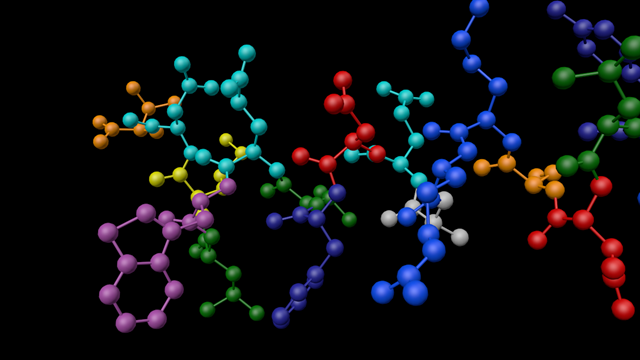
The results are quite good, though to be frank it's best used for smaller models. If the model is too big, there are so many atoms that it becomes difficult to read the text anyway. Here's what glucagon would look like, coloured by residue, first as spheres then as text:
Highlighting specific atoms
Faced with a large molecule, what if you want to pick out certain atoms? Say you wanted to see the alpha carbon atoms specifically, or you wanted to highlight all the residues of a specific amino acid? The model already had the facility to add a material to any specific element, such as carbon or oxygen. What I did was extend that to add a filter so that the material could be added to a variety of specified components. Since any number of materials can be added to the plugin, using a dynamic description, the user can now do something like this:
- Add the material to all atoms in every lysine (for example) residue
- Add a different material to all carbon atoms
- Add a different material to all alpha carbons
- ...and so on
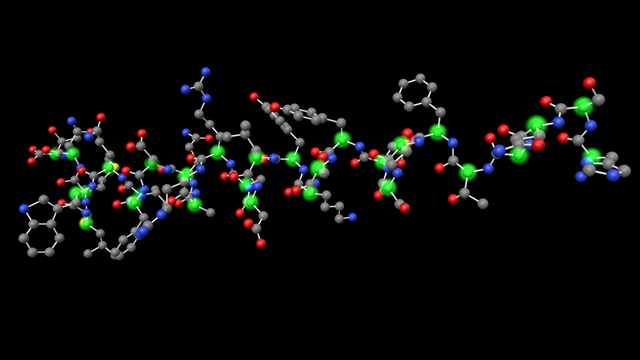
Here is glucagon again, with all the alpha carbon atoms highlighted in a tasteful green glow:
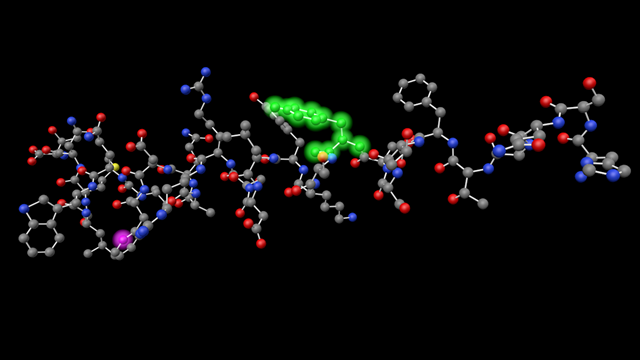
Various effects are possible. For example, by using a transparent material you could hide all the carbon atoms in a molecule. You can if needed highlight one specific residue or even one atom using the residue sequence number or atom serial number from the PDB file. This render is of glucagon again with residue 11 highlighted in green and atom number 180 in purple:
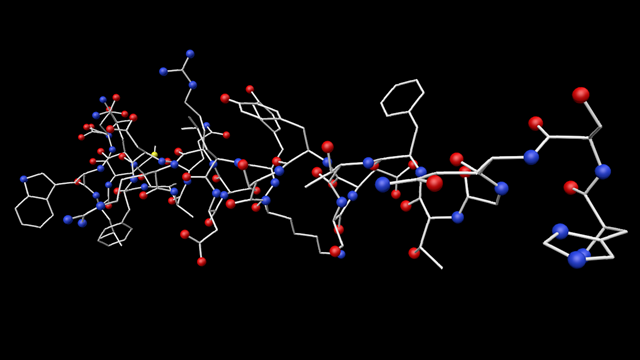
Or here it is with all the carbon atoms hidden by using a transparent material:
These new features work well and could be useful in certain circumstances. So now it's back to CIF files...
Page last updated July 26th 2026